Coloring
Popular Games
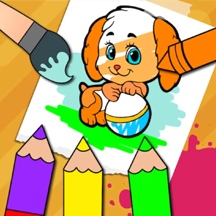




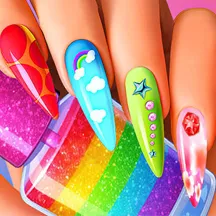


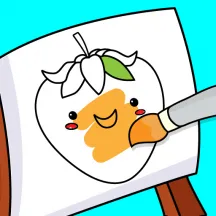












Make colorful artwork in Nail-Art-Coloring. Choose from hundreds of pictures, select any colors you like, and paint animals, vehicles, and more with simple click-and-drag controls.
Detailed Ratings
Free color choice and a broad picture library support easy creative play
Varied animal, vehicle, and themed drawings provide clear canvases for coloring
Selecting a brush and dragging to paint is straightforward on desktop and mobile
No fixed palette or time limit leaves room for personal color choices
Game Introduction
Nail-Art-Coloring is an open-ended coloring game focused on free color choice and a large collection of pictures. Pick an illustration, choose a brush and colors, then bring the image to life in your own style.
The picture library includes subjects such as cats, dogs, dinosaurs, and cars, giving each session a new canvas without asking you to follow a fixed palette. Finished work is kept in the game for easy return visits.
With no score target or timed challenge, the experience is designed for relaxed experimentation. Use subtle shades, bold contrasts, or any color combination that suits the picture.
How to Play
Select a picture from the gallery, then choose a brush and a color. Click and drag across the drawing to apply the color wherever you want it.
Switch colors and brush strokes as you work through the different areas of the image. There is no required color scheme, so you can make a realistic scene or create an entirely imaginative design.
Return to the collection to start another artwork or revisit saved creations. The large set of drawings supports both quick coloring sessions and longer projects.
PC and Mobile Interaction
Click to choose a picture, brush, and color. Click and drag with the mouse to paint on the drawing.
Tap a picture, brush, or color, then drag your finger across the image to paint.
Tips & Tricks
Choose the picture first, then decide whether you want a realistic palette or a more imaginative one.
Use lighter colors for broad areas before adding darker details and outlines.
Change brush colors often to make separate parts of an image stand apart.
Try a bold contrast on small details to give a finished drawing more focus.
Revisit saved artwork when you want to refine a color choice instead of starting over.
Level Information
Open-ended coloring with hundreds of selectable drawings
Picture subjects include animals, dinosaurs, cars, and more
Choose any brush colors without a required palette
Completed artwork is collected in the game for later access
No timer, score target, or fail state
Playable with desktop and mobile input